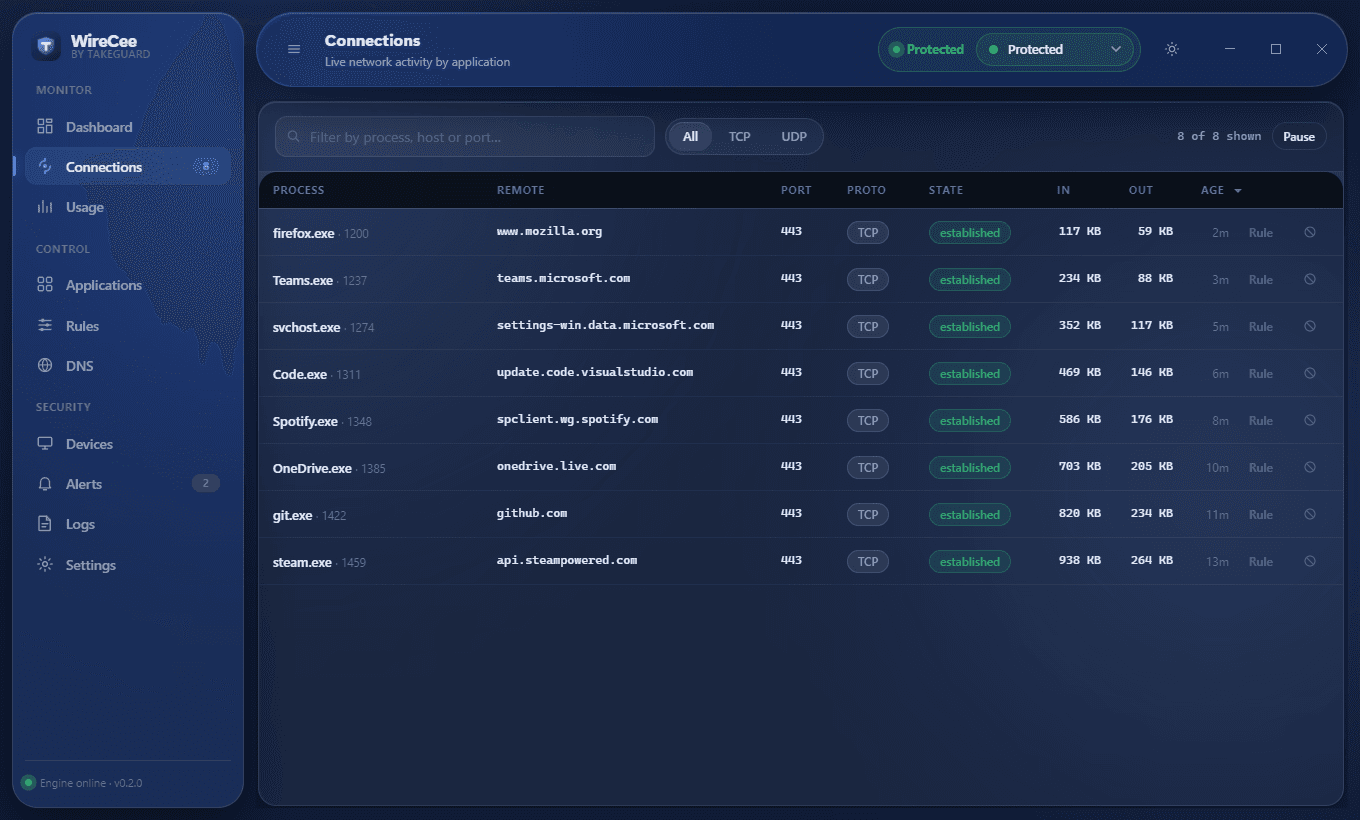
Live connections per application
Host names, state and bytes in and out for every connection, grouped by the program that opened it.
Projects · by TakeGuard
A personal firewall for Windows and Linux that shows what every program is talking to, and lets you stop it.
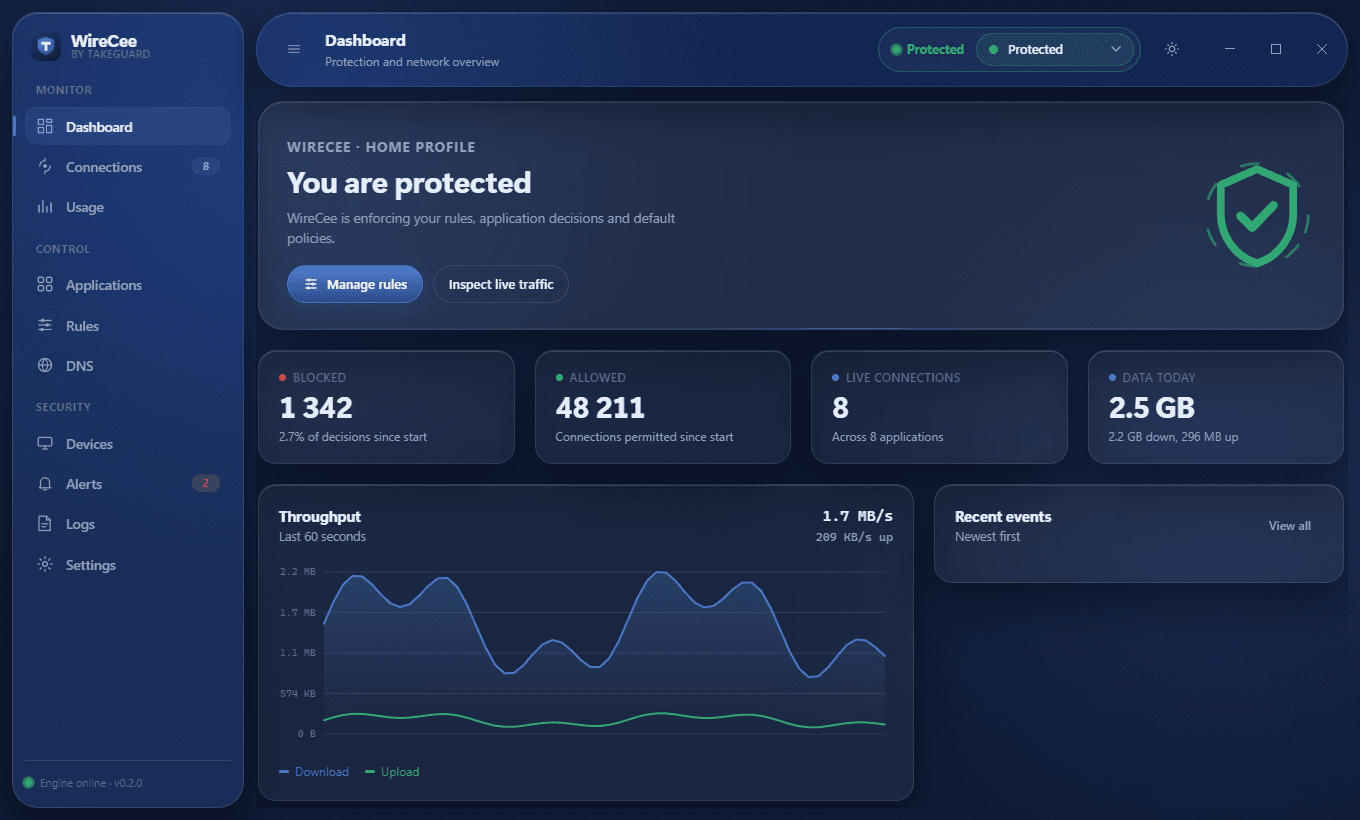
WireCee reads the real connection tables itself, enforces its own rules through the Windows Filtering Platform (nftables on Linux), and can filter DNS for the whole machine. The window and the command line use the same engine, so they never disagree.
Host names, state and bytes in and out for every connection, grouped by the program that opened it.
Per application. Ask refuses a new program until you decide, so nothing new gets out unnoticed.
By address, port, protocol and direction, with lists of hundreds of addresses in one rule.
A built-in rule blocks known malware command-and-control servers, from the TweetFeed list.
Your own blocklist for the whole machine, with a guard so programs cannot go around it.
Per day and per application, with a monthly limit and alerts.
See what is on your network and give devices names you recognise.
Changes to the hosts file, DNS servers and proxy settings, incoming Remote Desktop and modified executables.
wirecee connections, block, usage, devices, alerts, dns and more. Query commands need no administrator rights.
Version 0.2.0, released 15 September 2026. Files are hosted on GitHub Releases.
Version 0.2.0 is the latest release (September 2026). Before 1.0, features and settings may still change between versions. Development continues in the public repository.
Windows: unpack the zip and run WireCee.exe. It asks for administrator rights; without them it still monitors, but cannot block or filter DNS. Linux: unpack the tar.gz and run sudo ./wirecee --open.
PolyForm Noncommercial 1.0.0. Source available: free to use, read, change and share for non-commercial purposes. Not an OSI open-source licence. Read the licence.
WireCee is a separate product from TakeGuard training and is not included in, or needed for, any training plan.